
Table of Contents
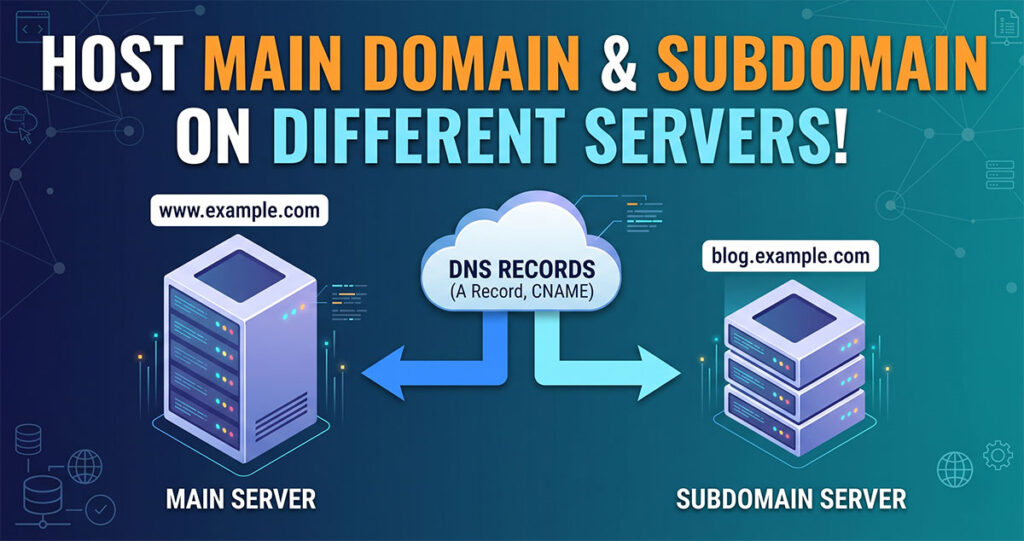
ToggleMany website owners believe that a main domain and its subdomains must be hosted on the same server. However, that is not true. In fact, hosting your main domain and subdomain on different servers is a common practice used by businesses, developers, SaaS companies, and large websites.
For example, your main website may be hosted on one server while your blog, customer portal, application, or testing environment runs on another server. This setup provides better flexibility, performance, and resource management.
In this guide, IT Expert Rajesh Goutam explains how to host your main domain and subdomain on different servers using DNS configuration.
Can a Main Domain and Subdomain Be Hosted on Different Servers?
Yes, absolutely.
A domain and its subdomains are controlled through DNS records. Since DNS allows you to point different hostnames to different IP addresses, you can easily host:
- com on Server A
- example.com on Server B
- example.com on Server C
- example.com on Server D
This means each subdomain can have its own hosting environment without affecting the main website.
Why Host a Subdomain on a Different Server?
There are several reasons why businesses choose this setup.
1. Better Performance
Heavy applications can consume significant server resources. By moving them to a separate server, the main website remains fast and responsive.
2. Improved Security
Separating applications reduces security risks. If one server experiences issues, the main website remains protected.
3. Easier Scaling
As traffic grows, individual services can be upgraded independently without affecting other websites.
4. Different Technologies
You may host:
- WordPress on Server A
- Laravel application on Server B
- js application on Server C
Each platform can use the server environment best suited for its requirements.
Example Setup
Consider the following scenario:
Domain/Subdomain | Server | IP Address |
example.com | Server A | 192.168.1.10 |
blog.example.com | Server B | 192.168.1.20 |
app.example.com | Server C | 192.168.1.30 |
In this setup, each website operates independently while sharing the same root domain.
Step 1: Obtain the Server IP Address
Before configuring DNS, collect the public IP address of the server hosting the subdomain.
Example:
- Main Domain Server IP: 192.168.1.10
- Subdomain Server IP: 192.168.1.20
You will need these IP addresses when creating DNS records.
Step 2: Log in to Your DNS Management Panel
Access the DNS management area provided by your:
- Domain Registrar
- Cloudflare
- cPanel DNS Zone Editor
- Plesk
- Hosting Provider
Locate the DNS records section.
Step 3: Create an A Record for the Subdomain
Add a new DNS record.
Record Example
Type: A
Host: blog
Points To: 192.168.1.20
TTL: Auto or Default
This record tells DNS that blog.example.com should load content from Server B.
Step 4: Verify DNS Configuration
After saving the record, DNS propagation may take a few minutes to several hours.
You can verify using:
ping blog.example.com
Or:
nslookup blog.example.com
The result should display the IP address of Server B.
Step 5: Configure Hosting on the New Server
On Server B:
- Create the website account.
- Add the subdomain.
- Upload website files.
- Configure databases if needed.
- Install SSL certificate.
Ensure the web server accepts requests for:
blog.example.com
Step 6: Install SSL Certificate
SSL is essential for security and SEO.
You can use:
- Let’s Encrypt
- Cloudflare SSL
- Commercial SSL Certificates
Verify that:
https://blog.example.com
loads successfully without security warnings.
Step 7: Test the Website
Perform a complete test:
- Homepage loads correctly
- SSL works properly
- Images load correctly
- Forms function correctly
- Redirects work properly
- Mobile version displays correctly
Testing helps identify configuration issues before visitors access the site.
Hosting Multiple Subdomains on Different Servers
You can create additional DNS records.
Example:
Subdomain | Server |
blog.example.com | Server B |
app.example.com | Server C |
crm.example.com | Server D |
support.example.com | Server E |
Each subdomain can use different hosting providers and technologies.
Common DNS Mistakes to Avoid
Incorrect IP Address
Always verify the server IP before creating DNS records.
Duplicate Records
Avoid creating multiple A records for the same hostname unless intentional.
Missing SSL Configuration
Visitors may see security warnings if SSL is not installed properly.
Not Waiting for DNS Propagation
Changes may take time to become visible globally.
SEO Impact of Hosting Subdomains on Different Servers
Hosting subdomains on separate servers does not negatively impact SEO when configured correctly.
Google can crawl and index subdomains regardless of where they are hosted.
To maintain SEO performance:
- Use HTTPS
- Maintain fast page speed
- Create XML sitemaps
- Avoid duplicate content
- Ensure proper internal linking
Frequently Asked Questions
Yes. DNS records allow you to point a subdomain to any hosting provider.
No. The main domain continues to work independently.
Yes. Cloudflare supports domains and subdomains hosted on different servers.
Yes. Many businesses host WordPress on the main domain and applications on separate subdomains.
Conclusion
Hosting your main domain and subdomain on different servers is a reliable and scalable solution for modern websites. By properly configuring DNS records, you can run independent websites, applications, and services while keeping everything under a single domain name.
Whether you are managing a WordPress site, SaaS platform, customer portal, or development environment, this approach provides better flexibility, performance, and growth opportunities.
Following the steps explained by IT Expert Rajesh Goutam will help you successfully configure your main domain and subdomain on different servers without affecting website performance or SEO.